 SunSeek
For iPhone and iPad
Lunch walks between meetings.
Need an outdoor break between meetings? SunSeek finds a walk that fits and tells you when to leave and when you will be back at your desk.

Try it free, with no account.
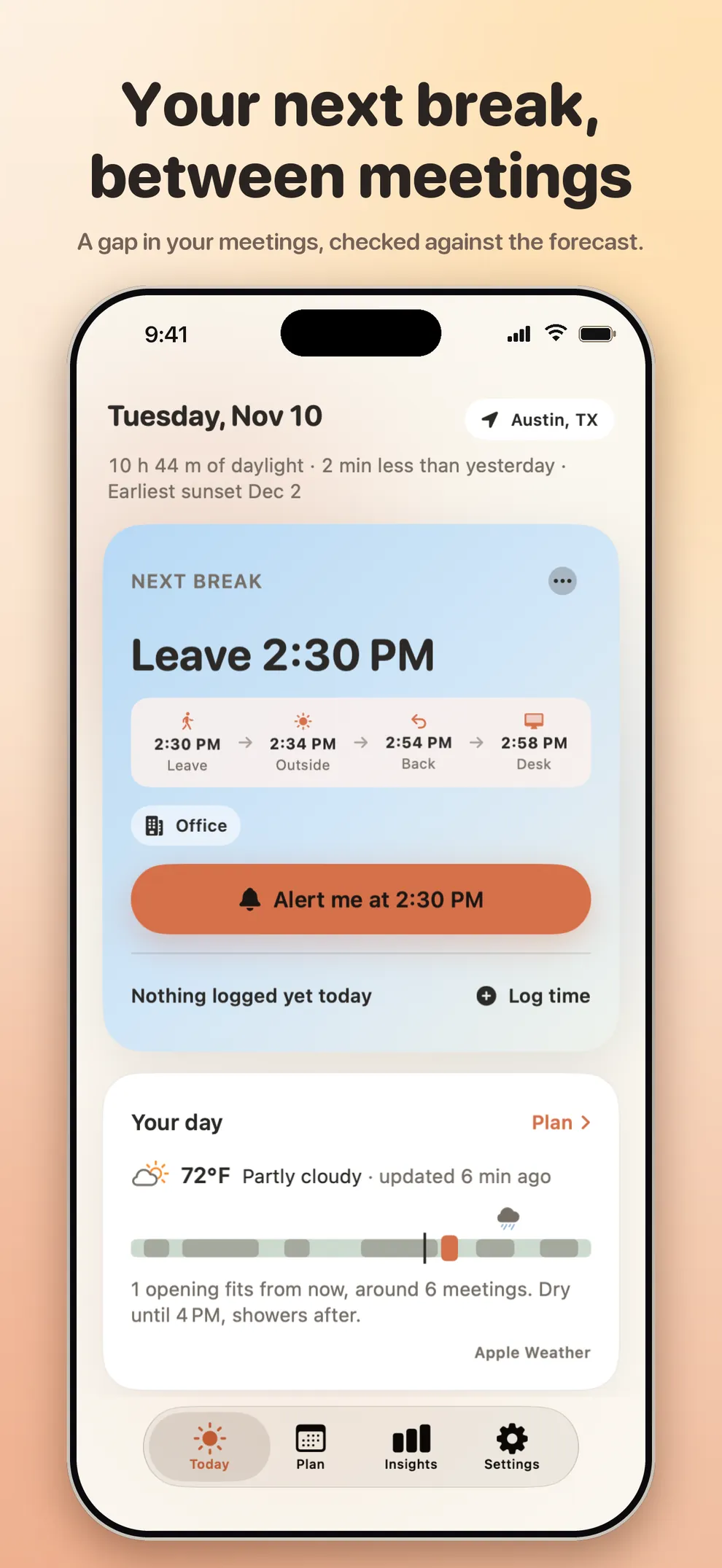
Plan
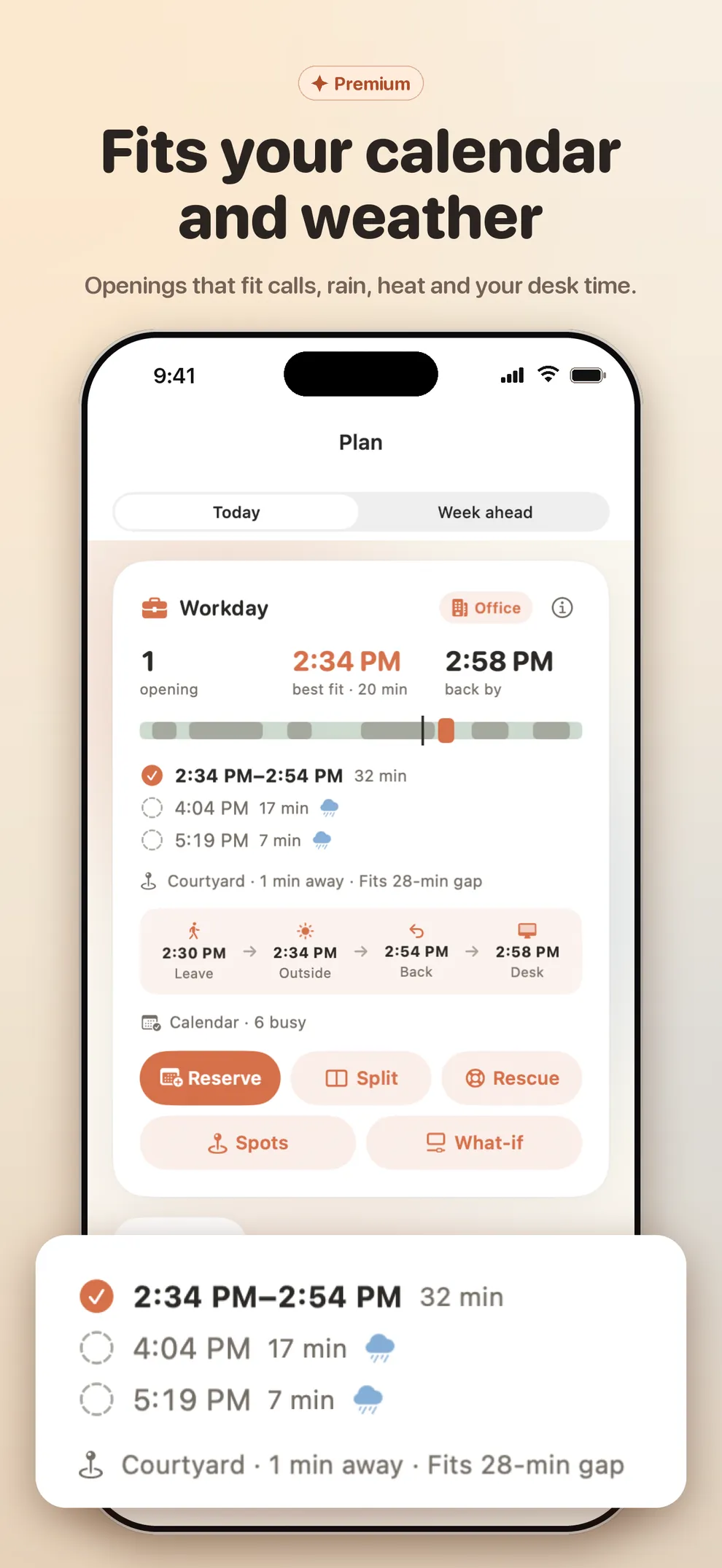
Fits your calendar and the weather.
It starts with your calendar: only busy times are read on your device, and every suggested walk break is checked against rain, heat and high UV. Built for desk days at the office or while you work from home.
Widgets
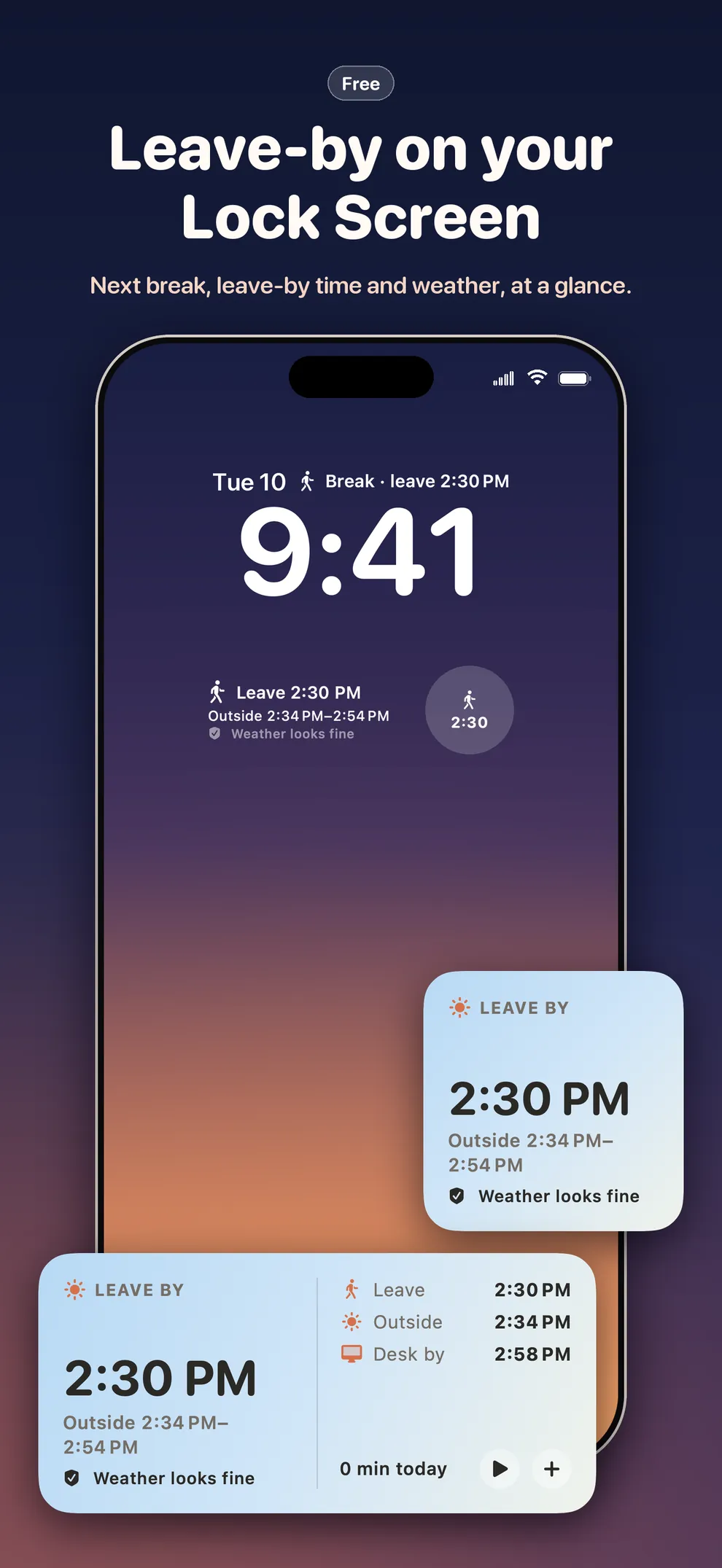
Leave-by, on your Lock Screen.
A Today snapshot widget for the Home Screen and Lock Screen shows your next break, leave-by time and weather. An optional leave reminder stays off until you turn it on.
Insights
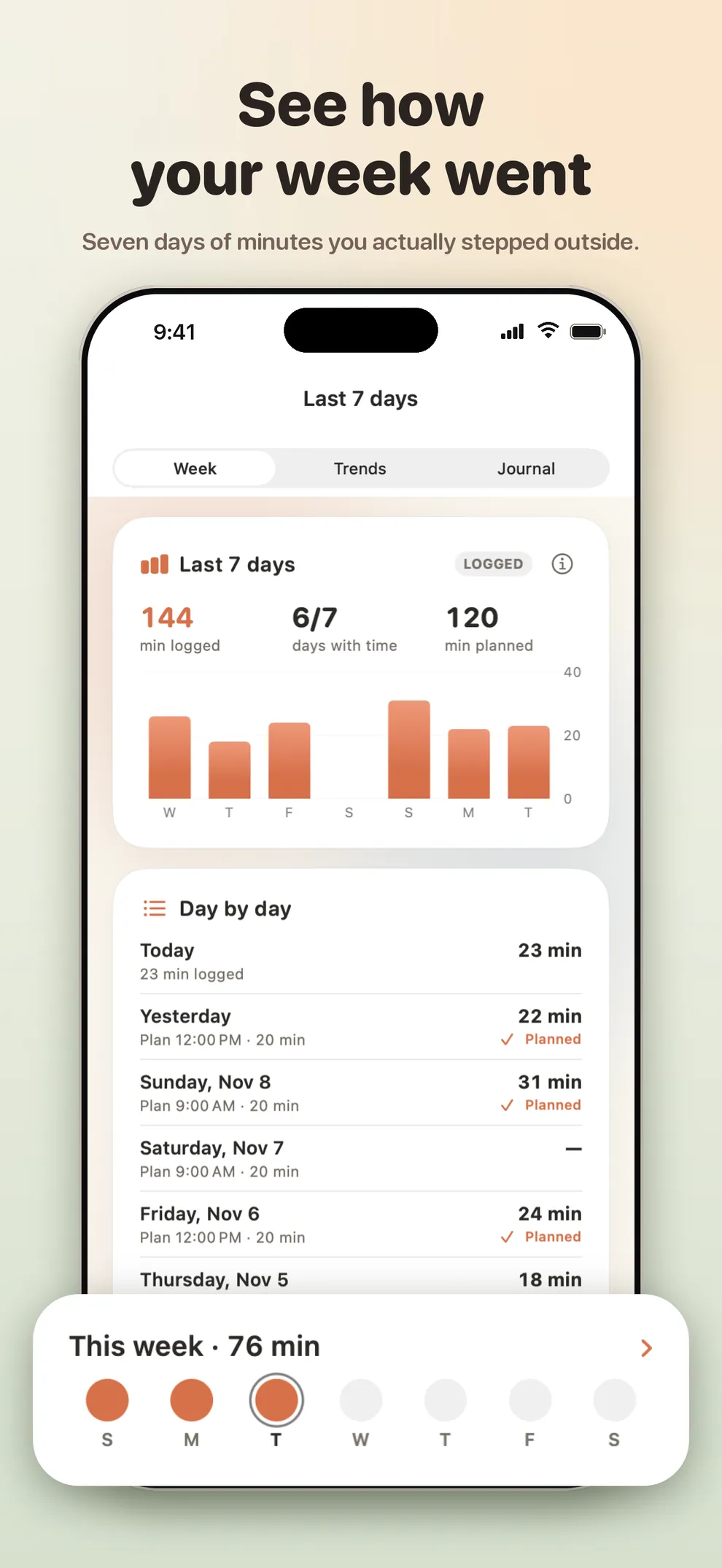
See how your week went.
Insights keeps the last 7 days of logged outdoor minutes, trends and your journal. It is a record of your minutes, not a score. An optional evening wrap-up takes about ten seconds.
Getting started
Learn it in five steps.
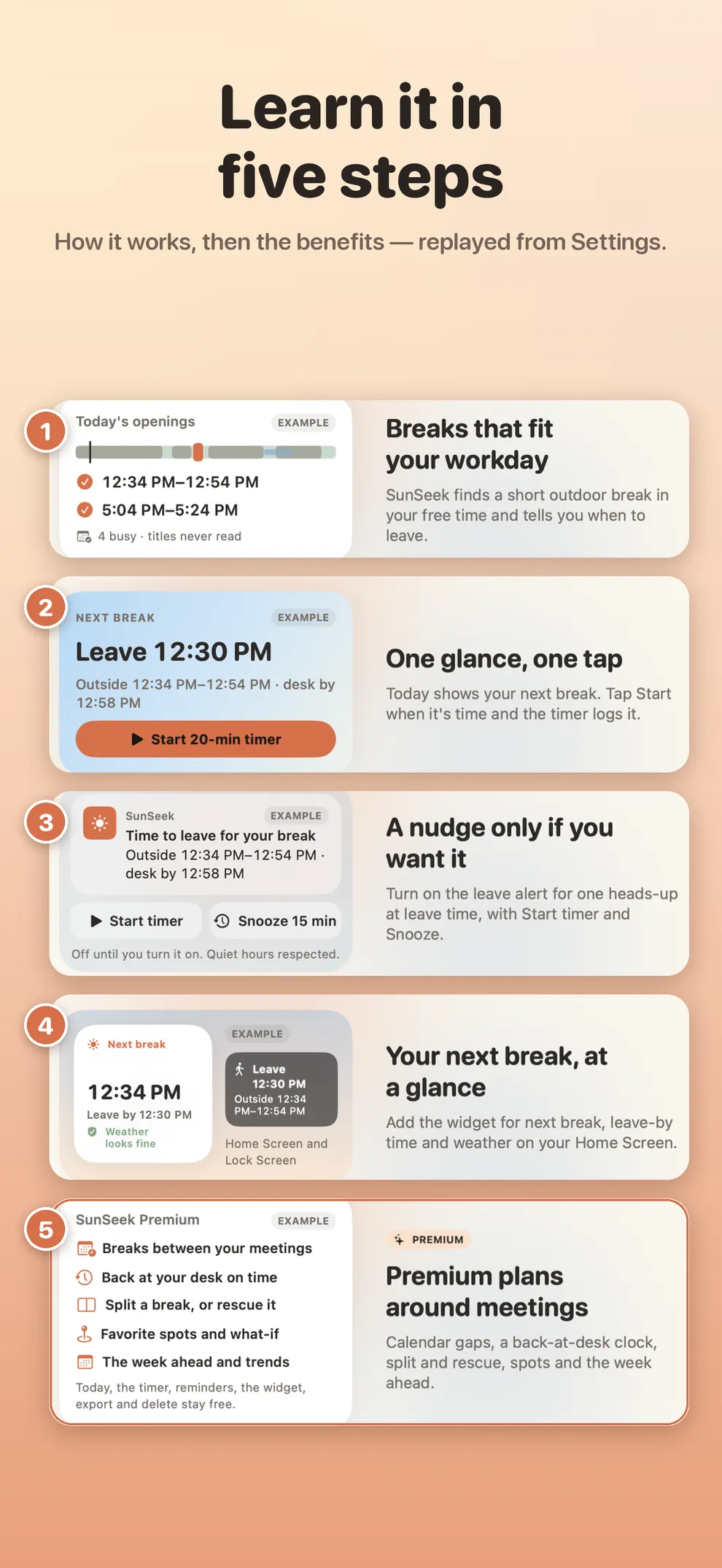
A short intro on first launch covers how SunSeek plans breaks, the one-card Today view, the optional leave reminder, the widget and what Premium adds. Replay it any time from Settings.
FAQ
A few quick answers.
What is SunSeek?
SunSeek is a workday break planner for people with desk jobs. It finds a short outdoor break that fits between meetings and helps you get back to your desk on time.
Is it a health or sunlight-tracking app?
No. SunSeek is a planning tool. It does not give medical advice, and it is not a sunlight, sleep or vitamin D tracker.
Do I need an account?
No. There is no account, no server, no ads and no tracking. Your schedule and log stay on your device.
Do I have to share my calendar or location?
No. Calendar access is optional and used only when you tap Connect calendar. SunSeek reads only event start and end times on your device, never titles or attendees. Location is optional too — you can search for a city instead.
What stays free if I do not get Premium?
Today, the daylight line, weather on your free windows, the timer, leave reminder, Reserve my break, widgets, the 7-day review, the sample workday, and export or delete. Those stay free. Export, delete and restore are never paywalled.
Does it work on iPhone and iPad?
Yes. SunSeek is built for iPhone, including a foldable layout, and for iPad.
How do I get help, or export or delete my data?
Email williamfastship@gmail.com, or use Settings → More → Help & feedback → Send feedback in the app. Export and delete are in Settings → Your data, and both are free. We usually reply within two business days.